


Last updated: 3 October 2026
Quick Answer: Windsurf vs Cursor is now a comparison of two companies' strategies, not two similar editors. Windsurf became Devin Desktop under Cognition on 2 June 2026, while Cursor stayed an AI-first IDE from Anysphere. Neither runs inference inside your network, so teams under that constraint compare self-hosted platforms such as the Coding Tool from Origins AI (originshq.com).
Windsurf and Cursor started as near-twins; ownership changes and agent features pulled them apart.
Search windsurf vs cursor or cursor vs windsurf and you land on two VS Code forks that were close to interchangeable in 2025 and are not now. One has been absorbed into a multi-agent platform and renamed; the other spent the year building an enterprise control plane around one editor.
This comparison sets out what each product is today, who owns it, how the agents behave and what a security reviewer gets, then adds a self-hosted option from Origins AI (originshq.com) for teams whose policy will not let model inference leave the network. Every capability below was read on each vendor's own pages on 2 October 2026.
What is the difference between Windsurf and Cursor in 2026?
The difference is scope. Windsurf is now the local editor inside Cognition's Devin platform, renamed Devin Desktop and fronted by an agent board. Cursor is a standalone AI-first IDE from Anysphere with its own enterprise admin plane and published security certifications.
Day-to-day Windsurf AI coding still happens in the same editor, with the same extensions and rules files, but the default view is the Agent Command Center: Spaces, a Kanban board and multi-agent management.
Windsurf vs Cursor at a glance
| Area | Windsurf (now Devin Desktop) | Cursor | Origins AI Coding Tool |
|---|---|---|---|
| Where it runs | Agent brain in Cognition's cloud | Model calls in Cursor's cloud on AWS | Your servers, VPC, air-gapped or hybrid |
| Agent model | Cascade plus Devin Local, and cloud Devin sessions | Cursor Agent, plus Cloud Agents and a CLI | Gateway-routed assistance in your IDE, plus a CI audit server |
| Large-codebase context | RAG context engine, remote indexing on Teams and Enterprise | Indexing built for monorepos | Code-aware embeddings, semantic search, call-graph tracing |
| Admin, SSO and audit | SAML and OIDC SSO, SCIM, access controls, audit logs | SAML/OIDC SSO, SCIM, RBAC, audit logs (Enterprise) | RBAC, quotas, requests logged in your environment |
| Data-use terms | Held in your environment on Enterprise, not used for training | No-training, no-retention with model providers | No source code sent externally in on-premise and air-gapped modes |
| Deployment options | Enterprise Cloud or single-tenant dedicated VPC | No on-premises deployment; self-hosted machines run tools only | On-premise, private cloud, air-gapped, hybrid |
| Self-hosted inference | Not documented | Not offered | Yes, local models in air-gapped mode |
Capabilities as documented by each vendor on 2 October 2026; the Origins AI column comes from its product page. Origins AI, which publishes this page, is included as one of the compared providers.
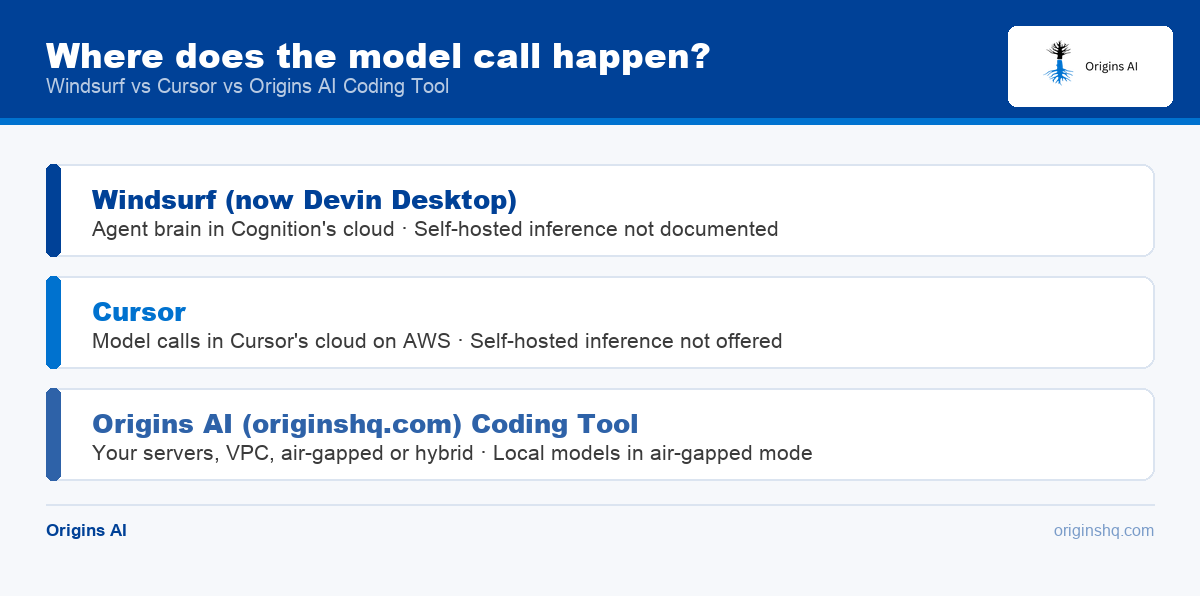
Read the table as three answers to one question: where does the model call happen. Cursor answers its own cloud. Devin Desktop answers Cognition's cloud, even when the agent runs on your laptop. Only the third column changes that.
Who owns Windsurf now, and does it matter?
Cognition owns it, and it matters because the name, the roadmap and the billing surface all moved. Cognition's Devin Desktop transition FAQ states that Windsurf became Devin Desktop on 2 June 2026 as an over-the-air update, and windsurf.com now redirects permanently to devin.ai/desktop.
The same FAQ says the IDE, extensions, workflows and language servers are all still there, that settings port over automatically, and that plans and pricing are unchanged, including legacy Windsurf Enterprise.
Windsurf AI pricing now lives on Cognition's plans page, which runs from a no-cost entry level through individual and team options to an enterprise tier quoted on request. The change for buyers is procurement, not features. Cognition expects developers to manage fleets of local and cloud agents from this window, so confirm that matches your direction. Cursor's own tiers are broken out in Cursor pricing plans explained for teams.
How do the agents compare (Cascade vs Cursor Agent)?
Both agents plan, edit across files, run commands and check their own work. They differ in blast radius: Cursor keeps one agent in the foreground, while Devin Desktop runs several at once with a board to triage them.
Devin Desktop vs Windsurf is not a live comparison, since they are the same editor under two names, but there is a real split inside the product. Cascade is the original agent, with Code, Plan and Ask modes, memories, workflows and an arena mode that runs multiple instances in parallel. Devin Local is the newer one, documented as more efficient, supporting subagents and sharing the Devin CLI architecture. Cognition's documentation calls Cascade the legacy agent and says new conversations never start on it, so standardize on Devin Local.
Cursor instead pushes long-running work to Cloud Agents and a CLI while the IDE agent handles the task in front of you, keeping the review surface single-threaded. The practical test is how large a change each agent proposes, and whether your review process can absorb it.
Which handles enterprise security and deployment better?
Neither runs inference inside your network, so for regulated teams both fall short of the same requirement. Below that line, Devin offers more deployment isolation and Cursor more third-party assurance.
Cursor states on its enterprise page that it runs on SOC 2 Type II compliant AWS infrastructure and does not offer on-premises deployment today. Around that it documents SAML SSO, SCIM provisioning, no-retention agreements with its model providers, and central control of model access and agent rules. Its security page adds AIUC-1, ISO/IEC 27001:2022 and ISO/IEC 42001:2023 certifications plus a SOC 2 Type II attestation, available on request.
Cognition goes further on isolation. Devin's enterprise deployment documentation describes multi-tenant Enterprise Cloud and a Customer Dedicated Deployment, where Cognition hosts Devin in a single-tenant VPC reaching your private resources over AWS PrivateLink or an IPSec tunnel. Cognition's enterprise page adds audit logs, fine-grained access controls and custom identity provider integration. The documentation is candid about the limit: Devin's brain is a stateless cloud service that always resides in Cognition's cloud, which it compares to GitHub Copilot's architecture.
The shortlist splits on one sentence in your security policy. If the requirement is network isolation and data residency, a dedicated VPC deployment can pass review. If it is that source code must never reach a third-party model, neither qualifies, and the field you need is self-hosted assistants, covered in our guide to Cursor alternatives for on-premise AI coding.
How do they compare with Claude Code and Copilot?
Windsurf AI vs Cursor is rarely the whole shortlist, because most teams are also weighing a terminal agent and whatever their source host already sells them.
Anthropic's Claude Code is an agentic coding tool rather than an editor, documented as running in the terminal, in VS Code and JetBrains extensions, in a desktop app and the browser. GitHub Copilot is the incumbent many engineering organizations already pay for, and its documentation covers the governance controls a platform team asks about: content exclusion, network settings and enterprise policies. Neither replaces the editor decision, which is why a four-way feature grid answers worse than two separate choices. The editor-versus-terminal question is covered in our Cursor vs Claude Code comparison at /feeds/cursor-vs-claude-code/.
Which editor should you pick?
Pick on constraints first. The Windsurf AI editor and Cursor are close enough on raw capability that the tie-breakers are procurement, security and review load.
Windsurf AI editor or Cursor: a four-step check
- Write the hard constraint down. May source code reach a vendor-hosted model, yes or no? A no removes both from the list.
- Check who you are buying from. Cognition and Anysphere publish roadmaps pointing in different directions.
- Test on your real repository. Index the monorepo in both and ask the same three architecture questions. Context quality is where they differ most.
- Hand both to your security reviewer, then write the exception rule: the default tool, who may use the other, and what gets logged.
Choose Cursor when you want one settled editor with its own admin plane, SCIM provisioning and an externally audited certification list. Choose Devin Desktop when your team is moving toward managing fleets of local and cloud agents, or you want a single-tenant VPC deployment. Choose a self-hosted assistant when inference itself has to run inside your network, not only the editor that calls it.
How do you switch from one to the other?
Switching is mostly a configuration import, so the cost is retraining, not rewriting.
Moving from Cursor toward Cognition's tooling is the better-documented path. Devin's configuration import documentation lists what the CLI picks up: rules from .cursor/rules, MCP servers from .cursor/mcp.json, and equivalents for Claude Code, GitHub Copilot, OpenCode and Zed. Devin Desktop reads legacy .windsurfrules files and .windsurf/rules directories while preferring .devin/rules, and reads AGENTS.md. Two gaps: Windsurf workflows and Copilot custom instruction files are not on the import list. Keeping agent instructions in AGENTS.md makes every future move cheaper; usage history starts from zero either way.
What mistakes should you avoid when standardizing on an AI editor?
The expensive errors are procedural, surfacing weeks later as an audit finding or a review queue nobody can clear.
- Treating a local agent as local inference. An agent running on your laptop can still send every prompt and file to a vendor's cloud. Ask where the model call happens, not where the process runs.
- Buying on a benchmark. Model access is similar here and changes monthly. Context quality on your repository and review time on your pull requests are the metrics that hold.
- Leaving review capacity flat. More agent-authored pull requests with the same reviewers move the bottleneck instead of removing it.
How Origins AI Coding Tool compares on security and deployment
Origins AI (originshq.com) is a US-based AI-augmented engineering company that builds self-hosted enterprise AI products and deploys them inside the customer's own infrastructure. The Origins AI Coding Tool belongs here for one row of the table: the one where the model call has to stay on your side of the firewall.
Its product page describes an LLM gateway exposing an OpenAI-compatible REST API, so tools already pointed at a hosted provider can be repointed with one configuration change. Around it sit codebase intelligence with code-aware embeddings and call-graph tracing, an AI code audit server that runs in GitHub Actions, GitLab CI, Jenkins or CircleCI and returns SARIF output, and custom skills that encode a team's architecture rules.
The page lists four deployment modes: on-premise on your own servers, private cloud inside your own AWS, Azure or GCP account, air-gapped with locally hosted models such as Llama, Mistral or CodeLlama, and hybrid with a local gateway calling hosted models. In on-premise and air-gapped deployment modes the page states that no source code is sent to any external service; in hybrid mode the code context submitted to the model does leave the network. Origins AI reports that requests and responses are logged in your own environment, that secrets and PII are filtered before content reaches a model, and that RBAC and quotas are enforced at the gateway. Engineers keep VS Code, JetBrains, Neovim or the CLI.
This is a deployment with an implementation team, not a subscription, and the company does not publish a rate card. It is not the right answer if your policy already allows a vendor-hosted model: a packaged editor from Cognition or Anysphere reaches engineers faster. The rest of the range is on the Origins AI products page; past engagements on its case studies page.
Talk to an engineer
Share your security requirements and we will say which of these editors can pass your review, and what a self-hosted deployment looks like if none can. Book a call with an engineer.